Customer Display System
Customer Display System
The Customer Display System allows restaurants to show order information on a separate screen visible to customers. This feature improves transparency and helps customers track their orders in real time without needing to ask staff.
Customer Order Display
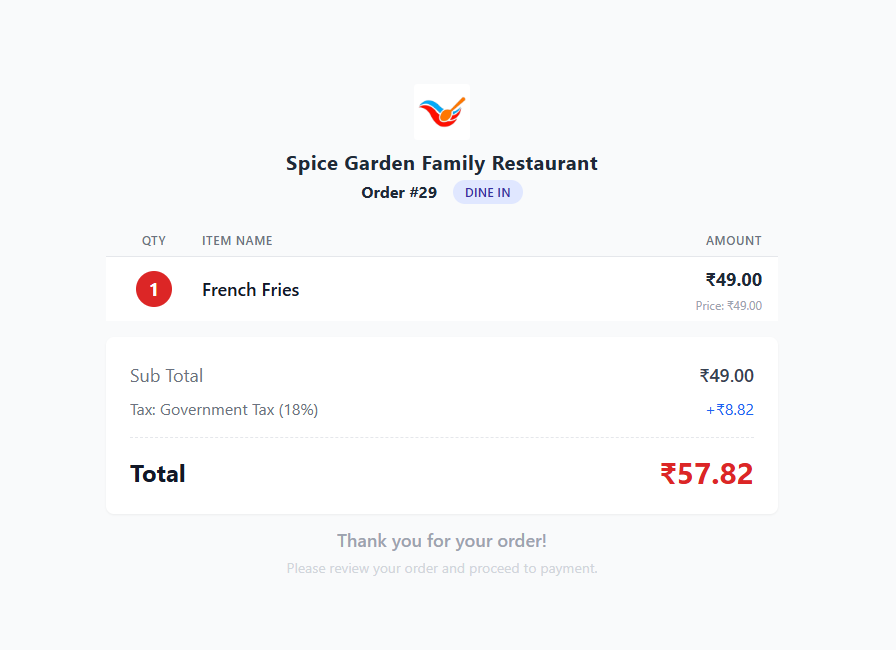
The Customer Order Display shows the detailed order summary to customers immediately after an order is placed through the POS system.
| Section | Description |
|---|---|
| Restaurant Name | Displays the name of the restaurant. |
| Order Number | Shows the order ID associated with the purchase. |
| Order Type | Displays whether the order is Dine-In, Pickup, or Delivery. |
| Item List | Shows ordered menu items with quantities and prices. |
| Subtotal | Total amount before taxes and additional charges. |
| Tax Information | Displays applied taxes such as GST. |
| Total Amount | The final payable amount for the order. |
Customer Order Board
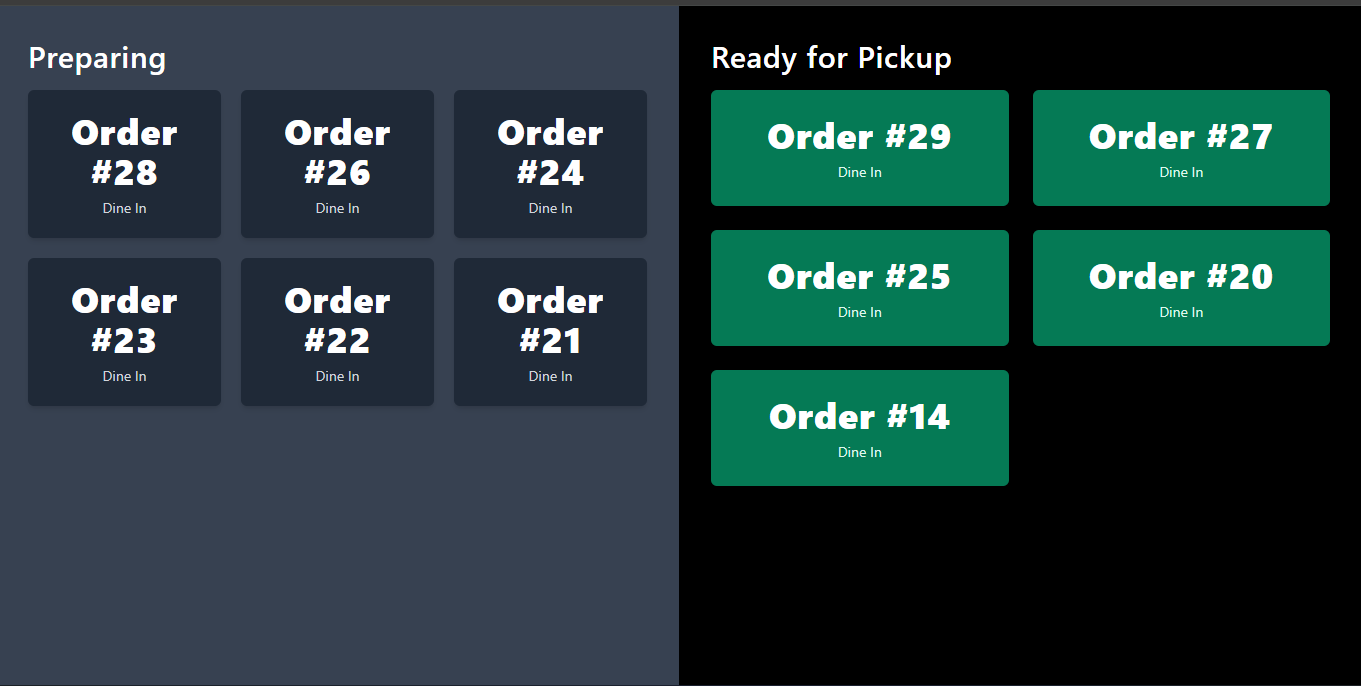
The Customer Order Board is designed for restaurants with high customer traffic. It displays order numbers and their preparation status on a large screen so customers can easily track their orders.
| Status | Description |
|---|---|
| Preparing | Orders currently being prepared by the kitchen. |
| Ready for Pickup | Orders that are completed and ready for customer pickup. |
Benefits of Customer Display
- Improves customer experience by providing order transparency.
- Reduces crowding around the service counter.
- Allows customers to track order preparation status.
- Speeds up the order pickup process.
- Ideal for quick-service restaurants and food courts.